

help-circle
rss
Irregularly Updated Community Feedback: PipedLinkBot Gone Rampant Edition
pin
Previously: [Submission Statement Edition](https://lemmy.world/post/3297922) Haven't done these in a while, so let's get started. 1. Since we haven't really heard any feedback one way or the other, *rule 8 is now official*. To be fair, we've had a lot less microblog posts than I expected (only one Twitter/X post in the last month even after I waited longer than the initial 1-2 weeks expected, and that was a crosspost.) - Again, the rules are always a work in progress, feel free to give your two cents here whenever you like. 2. As you guys know, PipedLinkBot went completely insane 2 days ago and looks like it's temporarily shut down. So, I'd like to use this opportunity to explain why I banned the bot pretty much immediately after our community reopened. (And gloat a bit, of course) - Even though I do agree with the principle of using open source, privacy focused frontend instead of using Youtube directly, I have a real problem with using a bot to respond every time somebody posts a Youtube link. It feels like spam, and it doesn't feel like it serves any utility besides pushing an agenda (even though many people here would agree with it). Most people have seen it around here enough to use pipedvideo if they wanted it to use it already. - I think it's always been a rage inducing part of the reddit experience that you see you received a response to your comment, but only have it been a bot smugly correcting your grammar or tell you all your letters are in order or something useless like that. So, for this place, I would like to make sure that everyone you talk to here is a real person as much as possible, because people inspire people to be greater, but bots don't.
fedilink

And the 2024 Golden Lemmy for best Android device goes to…
pin
**The Fairphone 4**, as nominated by [@[email protected]](https://lemmy.world/u/be_gt)! As promised, you will be receiving 1 Lemmy Silver, and of course, bragging rights. ![](https://lemmy.world/pictrs/image/9a4bc5da-4de2-41f2-95f7-9e8592ee69d5.jpeg) But, we also have an honorary Golden Lemmy award, which goes to... **Every Android device that is not the Samsung Galaxy S22+**, as nominated by [@[email protected]](https://discuss.online/u/OpenStars)! You get 1 Lemmy Silver (and bragging rights) too! ![](https://lemmy.world/pictrs/image/9a4bc5da-4de2-41f2-95f7-9e8592ee69d5.jpeg) That's it for this year's Golden Lemmy, folks! (Nomination thread is [here](https://lemmy.world/post/10291122) for future references.)
fedilink

I'm pretty bad with self control, and I've noticed that I'm spending too much time on Lemmy/Reddit, so I grabbed BlockApp to moderate my usage. So far, it works really well. I appreciate that I can limit usage to x minutes an hour, as well as y minutes daily. It has a block screen, rather than killing the app like Digital Wellbeing. It isn't perfect, but it's a good bandaid for poor impulse control.
fedilink

Network health testing app recommendation?
Title basically. My phone has been getting frequent stalls despite my connection being excellent and fast when it works. Looking for an app to help me figure out what's happening.
fedilink

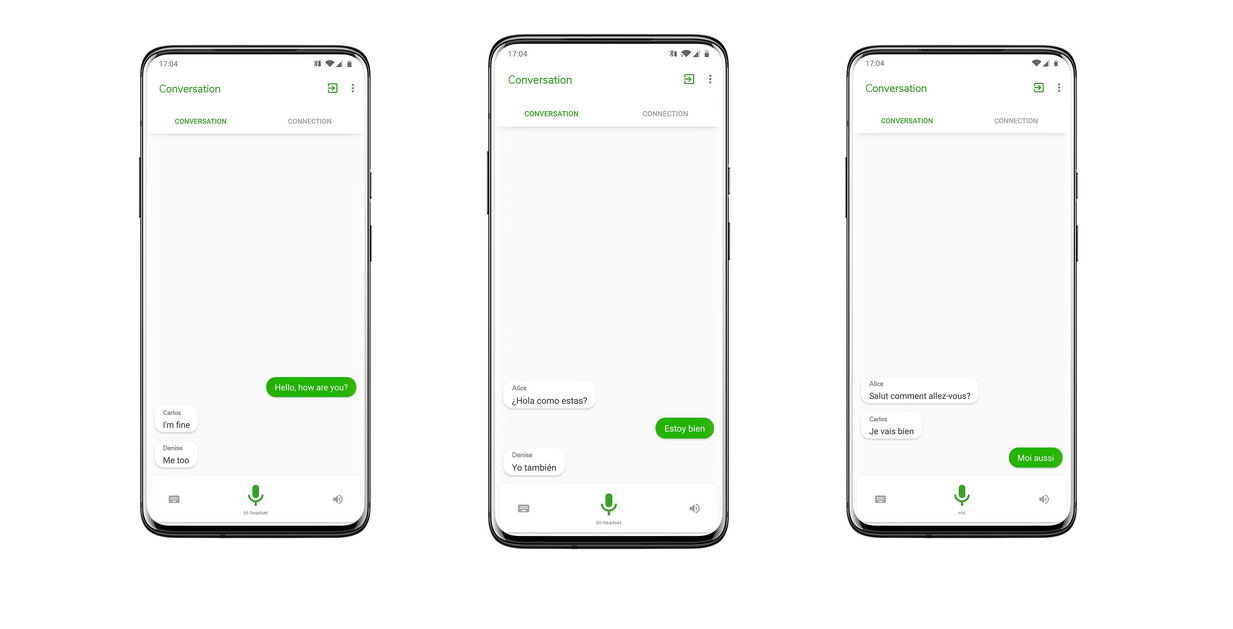
I've posted on here a long time ago about [RTranslator](https://github.com/niedev/RTranslator), which is a phenomenal, real-time translation app for conversations. It's a beautifully designed app that allows for on-device transcription and translation. RTranslator has a few different modes that make it great for bilingual conversations. It can do simple text translations very well, like a handful of other apps. I actually use [this one](https://github.com/DavidVentura/offline-translator) for that purpose because it has system context menus and OCR for image translation. Where RTranslator really shines is in translating live conversations. When it first came out a couple years ago, it felt like sci-fi. You can set it up to walkie-talkie mode, and the phone will automatically detect multiple speakers, identify the language they're speaking, and translate to the other language. If you have TTS enabled on your phone, you can even hear the other half of the conversation (more on that in a moment). The really amazing feature is if you have translator installed on two separate devices, then you can communicate with each other over Bluetooth. Even with your phone in your pocket, you can easily have a complete conversation with another person. Did I mention that it does all of this without *any* internet? When you first set up the app, you'll have to access the internet to download language models, but after that, it never goes online. The file size and processing power might be heavy on older or cheaper phones, but runs smoothly and easily on modern phones (I have a Pixel 7, which is hardly bleeding edge). I like things that happen on-device for privacy purposes, but it's also immediately practical for something like this. If you need on the spot translation, there's a good chance you're traveling and may not have access to reliable (or free) internet. Most Android devices have built-in text-to-speech (TTS). So after you've installed RTranslator and selected your languages to download, then you're good to go. If you're using an alternative OS (like graphene, which I use), then you'll have to select one yourself. Note: I think that Google's TTS also works on device without an internet connection, but I'm not 100% sure. That's where [SherpaTTS](https://github.com/woheller69/ttsEngine) comes in. Like the translator, Sherpa will need some space on your device and uses some processing power (although, the footprint is much smaller). It takes a little bit of time to set up, but most of that time is choosing your selected voice. There are literally hundreds of models to choose from. ![](https://raw.githubusercontent.com/woheller69/ttsEngine/refs/heads/master/fastlane/metadata/android/en-US/images/phoneScreenshots/02.png) You can set it up as your system default TTS, and then select it through the menu or during setup in RTranslator. Now you have modern, offline, live translation almost instantaneously. Both apps are easy to set up and walk you through the process pretty quickly. *All software here mentioned is open source. Some of the models used by this software might be derived from proprietary sources, but the models themselves are considered open source. Nobody asked me to do this, but I like sharing great open source software. Projects like these don't have an advertising budget, and rely on word of mouth.* [RTranslator On GitHub](https://github.com/niedev/RTranslator) [SherpaTTS on F-Droid](https://f-droid.org/de/packages/org.woheller69.ttsengine/) [SherpaTTS on OpenApk](https://www.openapk.net/ttsengine/org.woheller69.ttsengine/) [SherpaTTS on GitHub](https://github.com/woheller69/ttsEngine)
fedilink

Android introduces $2-4 install fee and 10–20% cut for US external content links
Apparently this is to hassle Epic Games. HN discussion has more info: https://news.ycombinator.com/item?id=46333734
fedilink

Hello everyone, I’ve been working on a simple 3D maze game for Android. The main idea is a daily maze: everyone plays the same maze each day and competes on a global leaderboard. It’s designed to be quick and casual. Wordle-style sessions you can finish in a few minutes. Features: - Daily Maze: same maze for everyone, resets daily, global leaderboard - Random Mode: no competition, solution button available - Duels: real-time 1v1 races on a randomly generated maze I’d really appreciate feedback, especially on what features or modes would be interesting to add. The app isn’t public yet because Google requires a testing phase, but testing is open. You just need to join a Google Group and then use the Play Store link below. Google group: (It may show "you don't have access to this content" but if you login you can request access. It's unfortunately a necessary step for the App links below to work.) https://groups.google.com/g/maze-trials-3d-closed-testing App links: Web: https://play.google.com/apps/testing/com.mazegame3d.app Android: https://play.google.com/store/apps/details?id=com.mazegame3d.app (The App links above will only be available after joining the group. I'm very sorry, those are google requirements.) Thanks!
fedilink

I’m hearing my phone’s speaker even when the Bluetooth earphones are connected.
I hear then connect through the earphones as always but then every other sound is played by the phone's speaker. I've tried reconnecting and rebooting them a few times without luck. Any suggestions? Edit: rebooting the phone solved it.
fedilink


cross-posted from: https://lemmy.world/post/17792695 >After slowly phasing the app out in some regions, Samsung has announced that it will no longer pre-install Samsung Messages...
fedilink

I've been recently interested in custom ROMs for the past 2 weeks. And amongst them, **Project Infinity X** caught almost all my attention. The customization features it provides swayed me away. But it struck me hardly in my heart when I checked their device support list on their official website. My phone's model wasn't mentioned there. Not only that, I tried to search for other _Popular_ ROMs and they too didn't have a version for my exact model. Then I posted in fb, some dudes told me to try gsm ROMs, or searching for ROMs with the exact codename for my phone. I didn't know what a codename is, they told to install an app from play store and then to check the codename. I still didn't understand what is a codename. Given below is a screenshot taken from that app which I think is the codename. When I researched about gsm ROMs, I came to know that, almost all the gsm ROMs gonna cause at least one hardware-software integration problem. SIM card, or wifi, battery etc. Then I came to know about XDA forums. I couldn't comprehend The website's UI at all. What I gathered that, the website was a place for unverified/unofficial versions of custom ROMs. Labeling that as **unsafe**, I couldn't trust the site. [ **Edit:** As xda forum being unsafe, I meant, since it provides unverified/unofficial ROMs made by random developer, It could be buggy and unstable. So much so that it can be worse than gsm ROMs. ] Only then, I stumbled upon LineageOS, as much as it pained me knowing that unfortunately they too, don't have a version for my exact phone, I came across all sorts of content where the uploader claimed that, they installed an older version of LineageOS in their phone which is also not cited in the official website's page, but the ROM just worked fine for their case. So I was wondering if the same is possible for my exact model. Not only with LineageOS, but with other ROMs too. My phone model is **Redmi Note 13 5g.** Came with MIUI, android 13( I think, because I forgot ), then after 2 updates, it is now running android 15 on HyperOS UI.
fedilink

Just wanted to share a really cool app I just found. Its called Catsky. Its a cat themed web wrapper for Bluesky with a few tweaks. I believe its open source. I didn't see it say it was distinctly on the github page. But I saw it's code posted.
fedilink
16

  • M137
  • English
  • 2M
Reading mode for website articles?
Hey! I'm looking for an app or browser with a good reading mode, preferably with images too, of website articles. So many websites put random shit between paragraphs that break up the article, and not just ads so using an adblocker doesn't help much. For example, I saw this article about my city: https://www.thesun.co.uk/travel/37178834/new-train-station-opens-europe-city-break/ And it's just a shitty experience to read the article, I just want the text and images. I tried Firefox reading mode but it doesn't do a great job a lot of the time (including this article), like not removing the right stuff and even removing parts that are actually the article. Very much prefer a FOSS app, searched around a bit but didn't really find anything.
fedilink

I had been using the phenomenal Breezy Weather for quite a while. It has built in integration with my launcher, provides a variety of configurations, and looks great. Here's why I switched to Overmorrow. Overmorrow is on another level in terms of design. It uses well selected photos sourced from the copyleft Unsplash as the background, which indicate different weather conditions and times of day (and possibly other factors, like location, although I haven't tested it that extensively or examined the codebase). The background is responsive as you scroll the app, which is a nice touch. The minimalist icons used for weather and time of day make it easy to read at a glance at any size. To be honest, I was not a fan at first. They are almost *too* minimal for me. As I've grown accustomed to seeing them, it is clear the attention to detail that has been invested in each one. Unlike Breezy Weather, the icon pack can't be changed. Breezy is a more mature app, so it makes sense that it has a few more customizations and integrations available. Breezy offers over a dozen widgets, while Overmorrow offers just 5. The widgets available with Overmorrow cover all the basics, although I found one or two idiosyncrasies. The hourly mode could benefit from more configurability, and a weekly preview widget is missing entirely. For me that's not really a necessity, but might be a dealbreaker for others. Opening the app, it feels very much like a complete solution. The information offered is detailed and displayed extremely thoughtfully. There are obvious settings like units and weather sources, but also full control of what and in which order information is displayed. Put what's important to you at the top, and less important stuff lower down (or leave it off completely). Everything is snappy and intuitive. Colors can be customized or set based on your wallpaper, or the current weather conditions. The transitions between screens and updates are cleverly and subtly animated. The entire experience is crisp, smooth, and modern. My favorite feature is the radar view, which is just as snappy and intuitive as the rest of the app. Press play to see the recent radar animated, or tap to see it in full screen view and look around. It can be super helpful in looking out for incoming weather, or visualizing how quickly a shower will blow over. And it's something conspicuously missing from some other apps. Overall, the beautiful design, frictionless UI, and features make this one a winner for me. [Source code](https://github.com/bmaroti9/Overmorrow) [IzzyOnDroid](https://apt.izzysoft.de/fdroid/index/apk/com.marotidev.Overmorrow/) [Play Store](https://play.google.com/store/apps/details?id=com.marotidev.Overmorrow)
fedilink


  • Stez
  • English
  • 23d
I need help finding a tablet
cross-posted from: https://sh.itjust.works/post/50874223 > Hey everyone, > I am currently in the market for a tablet. My requirements are that it has pen support(either proprietary or usi I don't care), an unlockable bootloader, and a fairly powerful snapdragon processor (preferably 8 gen 3 or 8 elite or something). I would like it to be around 10 inches closer to 9 would be better. I don't know if that's possible though. If anyone has any ideas then that would be extremely helpful. > > Edit: I forgot to say what I would use it for lol. I would mainly be using it for note taking since I'm in college but I might also do some switch or PC emulation on it as well.
fedilink

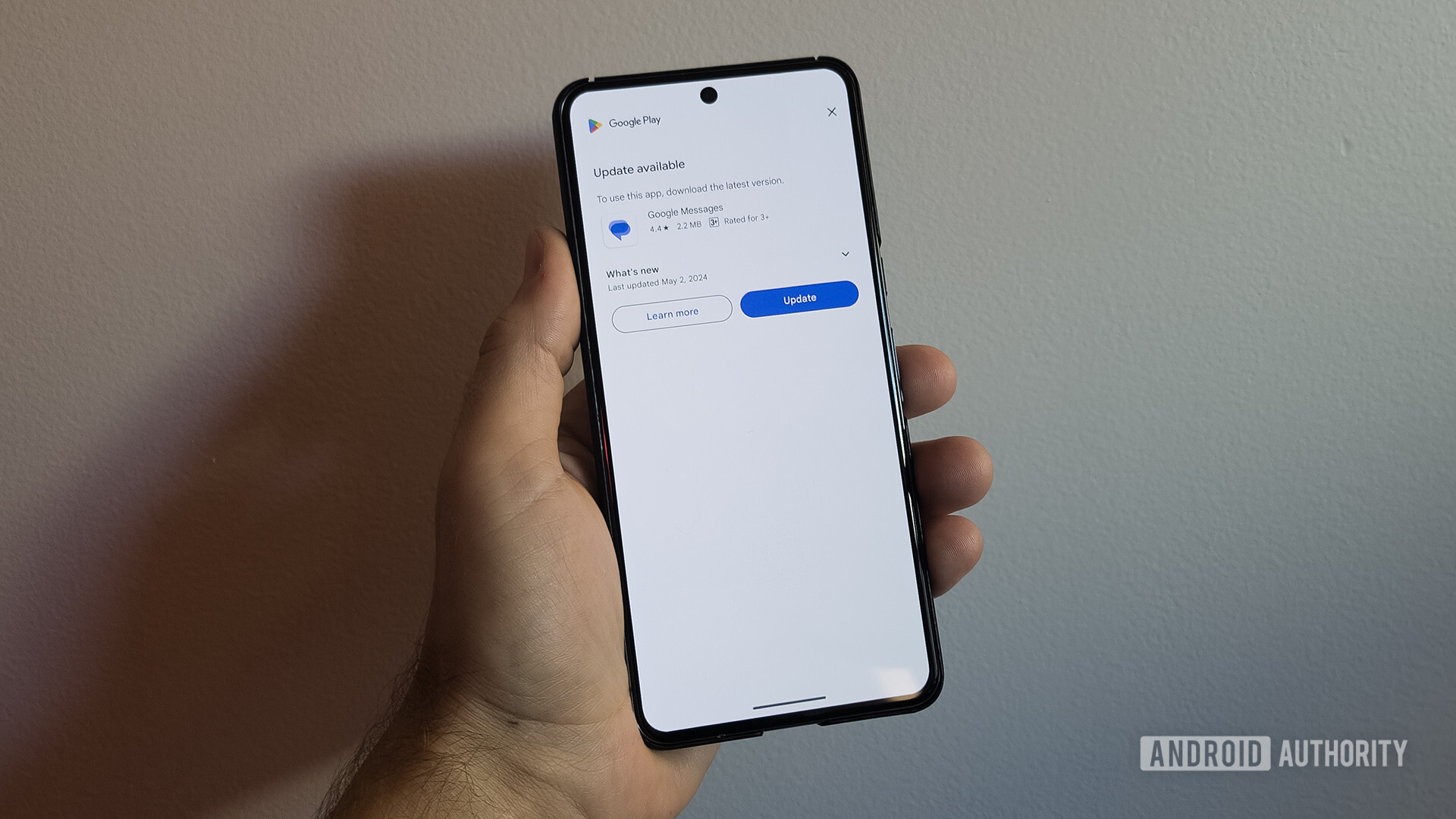
> Google Play Store is testing a new minimal design for app listings for core system apps that could prevent review bombing. Check it out!
fedilink

> The Amazon Appstore will no longer be available on Android as of August 20, 2025.
fedilink

> Google Messages is working on adding privacy options to its Profiles feature for profile discovery. Check out the upcoming options!
fedilink

cross-posted from: https://piefed.europe.pub/post/65174 > cross-posted from: https://lemmy.world/post/38001927 > > > > In this post, I hope to clarify and expand on some of the points and rebut some of the counter-messaging that we have witnessed.
fedilink

[PSA] Oneplus phones on Android 11 are being artificially throttled but there is a fix.
Hi there, I wanna share this knowledge with about Oneplus phones on Android 11 since I don't think its well known how you to fix it. Basically as a "battery saving meassure" Oneplus is secretly without telling the user limiting performance of a wide range of Apps, like Social Media Apps, Browsers, etc. The performance in some cases can be down by a whooping 75% - which can be quite noticable. Unfortunately there is no easy method to turn this behavior off in the Settings App or whatever. But what you have to do is : - enter `adb shell pm uninstall -k --user 0 com.oneplus.config` - reboot the phone If you want a further explanation and me demonstrating the issue and how its fixed - check out this video : https://www.youtube.com/watch?v=NqYL6ySTIIQ&t=9s From my experience I noticed no other issues on my phone and the change had no real impact on my day to day battery life .
fedilink

> Google announced the first wave of Android Cross-device services at the end of May, and we’re now seeing Internet sharing and Call casting...
fedilink

Good FLOSS casual games
Hello! Share good casual libre android games if you know any
fedilink

app to search all icons for installed icon packs
Does anyone know of an app that will search all installed icon packs for a term?
fedilink


Safest way of using WeChat
I live in Canada. My girlfriend is Chinese (also living in Canada), and while we are able to communicate via SMS, her mobile carrier isn't the best, and so there have often been issues for us with regular texting. She expressed a strong preference to use WeChat, at least as a backup option for when texting fails us. While I have some pretty significant reservations, it's not the hill I want to die on. So my question is: what can be done to use WeChat without compromising my whole phone? I'm okay with it if our conversations aren't private, but I'd like to know that I'm not giving unfettered access to all of my phone's systems and data to the CCP. What can be done to limit the reach of this ubiquitous app on my device?
fedilink

Is it even possible to disable 5G anymore?
You used to be able to use the *#*#4636#*#* trick to get a hidden menu, but now that's gone too. There's nothing in the menu that alllows you to select which network to use. I hate to keep having network disconnects and in perpetual 4G/5G back and forth and battery draining. I use Samsung btw Edit: For context: Its due to issues with being near the edge of the 5G zone so your phone keeps going back and forth between 4G and 5G which (I suspect), is what causes constant network disconnection, phone being hot/warm, and battery drain. Very annoying. Edit: YOOOO I FUCKING FOUND IT https://f-droid.org/en/packages/de.szalkowski.activitylauncher/ Search "Phone Info" --> Click the one with the phone icon --> Click again (there should be only one option --> Launch Activity --> Fina a dropdown option, change dropdown to LTE Voila. I feel like a fucking hacker (why is this so hidden wtf Samsung?)
fedilink

Did the latest Magisk update mess up my WiFi?
cross-posted from: https://leminal.space/post/3668164 > I've only made one system change to my phone today, allowing the Magisk app to update to v27.0 — and now my WiFi returns "IP configuration failure" to all networks. > > Maybe I'm seeing a correlation where there isn't one, but I'm curious if others have similar experiences and — more to the point — have any suggestions for fixes.
fedilink

> Google's giving Android users an extra tool to keep their phones safe with the mandatory biometric security of Identity Check.
fedilink

cross-posted from: https://lemmy.world/post/19727402 > Google is updating Safety Check in Chrome, with a big focus on getting rid of unwanted website notifications through one-tap unsubscribe.
fedilink

> Worried about thieves looking into your stuff? Here's how to enable Theft Protection on Android 10 and up devices.
fedilink


I wonder if there is something subpar about whoever Google is getting the batteries from for the A series phones.
fedilink

Sorry for the all caps, but its the video title.
fedilink

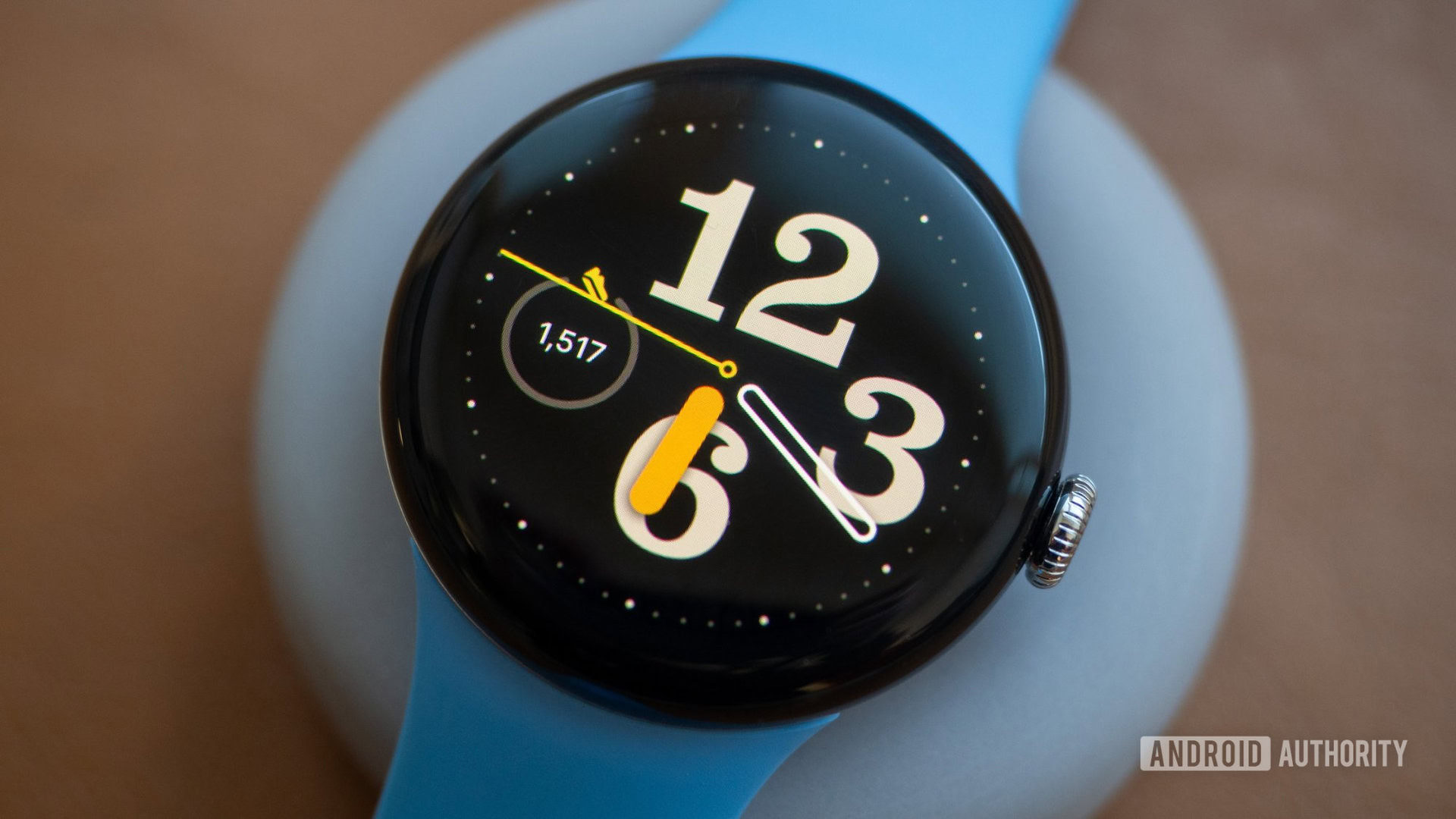
The review may have waxed eloquent about the watch but Oneplus and Ticwatch still lasted way longer in terms of battery life (in fact, Samsung 's Tizen OS watches were hitting the 3 day mark). Second, and this is purely from personal anecdote of wearing of Galaxy Watch 6, that one thing smartwatches suck at is displaying time. The AOD (unless raise to wrist is awake) is so dim as to be useless in my area due to the intense sunlight.
fedilink


iso launcher with specific features
tl/dr: I would like an Android launcher that has an app search in the app tray, and the ability to see all of the apps in a folder regardless of number. replacing Nova because it's been freezing more and more lately. Hyperion seems to meet most of my needs, but I can't figure out how to do an app search, even with the pro version, and it won't show me all of the apps that I have in a desktop folder if I have more than like five, and I need to be able to see them because I have ADHD.
fedilink

Samsung one ui update broke an app
As the title says, a samsung tablet got updated, and now refuses to allow an older app that was working fine before the update to launch or do anything other than pop a toast saying it was built for an older android version. While there are other app options, none are the right fit. So, I'm hoping there's a way to make the app work anyway. It's the Swype keyboard. Any help would be appreciated. Edit: solved! As [email protected] said, there is a version on xda that works, as long as you only need the basic language it comes with. There is a way to make the language packs work, but it is supposedly fiddly. Here's [https://xdaforums.com/t/any-way-to-run-swype-dragon-keyboard-on-android-14-on-pixel-6-pro.4640113/#post-89243411](http://www..com/ the link )
fedilink

  • sqasl
  • English
  • 2Y
Lemmy app with peek/hold for preview
I've just been through the far-too-many Lemmy apps I have installed, to see whether any support peeking/hold to preview, like Sync does. Is it the only one?
fedilink

    Create a post

    DROID DOES

    Welcome to the droidymcdroidface-iest, Lemmyest (Lemmiest), test, bestest, phoniest, pluckiest, snarkiest, and spiciest Android community on Lemmy (Do not respond)! Here you can participate in amazing discussions and events relating to all things Android.

    The rules for posting and commenting, besides the rules defined here for lemmy.world, are as follows:

    Rules


    1. All posts must be relevant to Android devices/operating system.


    2. Posts cannot be illegal or NSFW material.


    3. No spam, self promotion, or upvote farming. Sources engaging in these behavior will be added to the Blacklist.


    4. Non-whitelisted bots will be banned.


    5. Engage respectfully: Harassment, flamebaiting, bad faith engagement, or agenda posting will result in your posts being removed. Excessive violations will result in temporary or permanent ban, depending on severity.


    6. Memes are not allowed to be posts, but are allowed in the comments.


    7. Posts from clickbait sources are heavily discouraged. Please de-clickbait titles if it needs to be submitted.


    8. Submission statements of any length composed of your own thoughts inside the post text field are mandatory for any microblog posts, and are optional but recommended for article/image/video posts.


    Community Resources:


    We are Android girls*,

    In our Lemmy.world.

    The back is plastic,

    It’s fantastic.

    *Well, not just girls: people of all gender identities are welcomed here.


    Our Partner Communities:

    [email protected]


    • 1 user online
    • 9 users / day
    • 24 users / week
    • 125 users / month
    • 1.29K users / 6 months
    • 1 subscriber
    • 2.17K Posts
    • 38.6K Comments
    • Modlog
    Lemmy.World
    A generic Lemmy server for everyone to use.

    The World’s Internet Frontpage
    Lemmy.World is a general-purpose Lemmy instance of various topics, for the entire world to use.

    Be polite and follow the rules ⚖ https://legal.lemmy.world/tos

    Get started

    See the Getting Started Guide

    Donations 💗

    If you would like to make a donation to support the cost of running this platform, please do so at the following donation URLs.

    If you can, please use / switch to Ko-Fi, it has the lowest fees for us

    Ko-Fi (Donate)

    Bunq (Donate)

    Open Collective backers and sponsors

    Patreon

    Liberapay patrons

    GitHub Sponsors

    Join the team 😎

    Check out our team page to join

    Questions / Issues

    More Lemmy.World

    Follow us for server news 🐘

    Mastodon Follow

    Chat 🗨

    Discord

    Matrix

    Alternative UIs

    Monitoring / Stats 🌐

    Service Status 🔥

    https://status.lemmy.world/

    Mozilla HTTP Observatory Grade

    Lemmy.World is part of the FediHosting Foundation