Discover topics like android, glitch, tech support, and the magic of the internet at Imgur, a community powered entertainment destination. Lift your spirits with funny jokes, trending memes, entertaining gifs, inspiring stories, viral videos, and so much more from users like AndrewZabar.
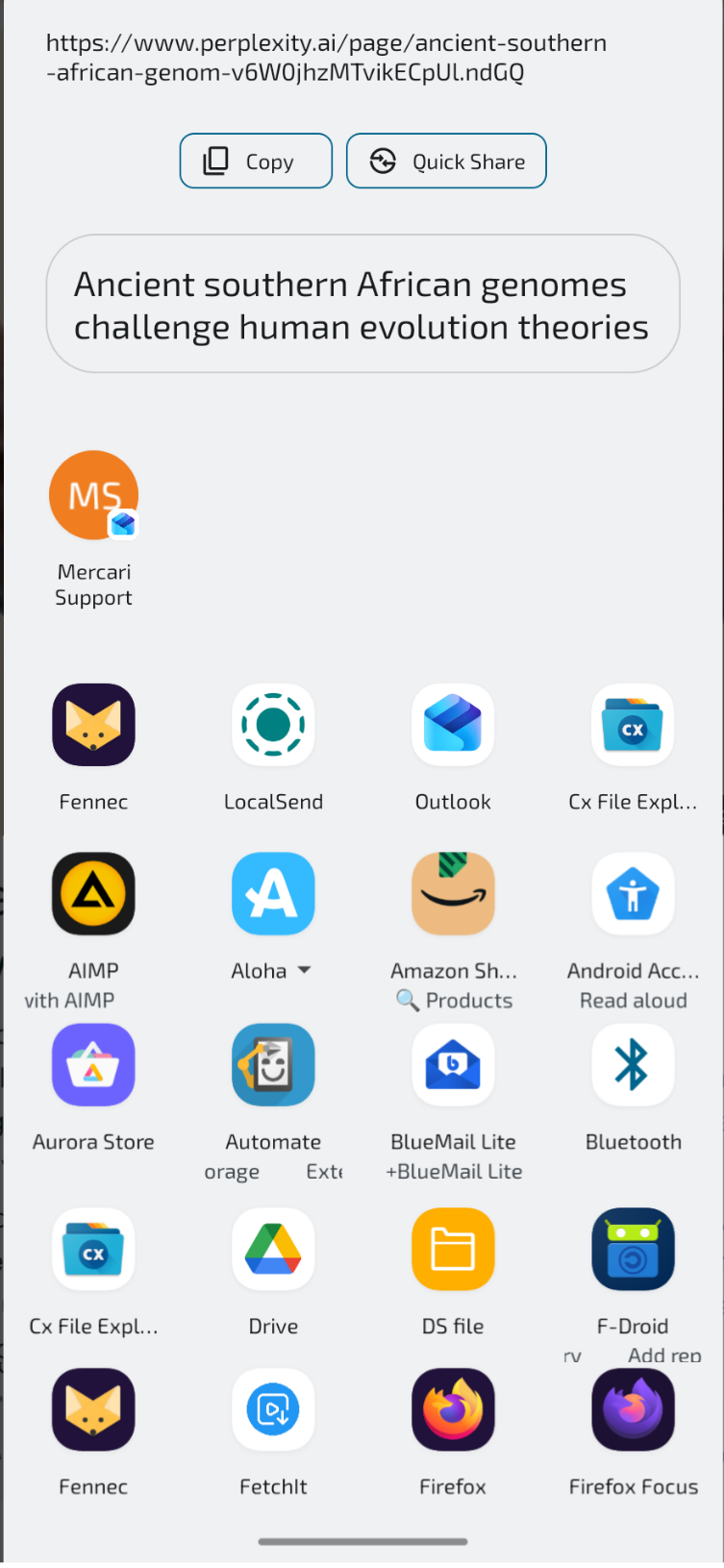
The entry “Mercari Support” has no reason to be there. How can I remove it from the share sheet?
I would go into the Outlook app and clear the storage and cache and see if that helps. If you don’t want any contacts to show in the list, you can disable “Show contacts when sharing content” if you search for this in settings.
So… After that had fixed it, I’m using device for a few more days and now suddenly there’s a different omen So, share sheet now has an email recipient up there on top of all other items. There doesn’t seem to be anywhere that I can prohibit Outlook items from being shoved onto that position.
I think your best bet is to disable suggesting any contacts from the system settings. The setting is called “Show contacts when sharing content” and will affect all apps. It’s not ideal, but there’s no way I can tell to ignore/dismiss specific contacts from the share menu.
You are not logged in. However you can subscribe from another Fediverse account, for example Lemmy or Mastodon. To do this, paste the following into the search field of your instance: [email protected]
DROID DOES
Welcome to the Android community on Lemmy. Here you can participate in amazing discussions and events relating to all things Android.
5. Engage respectfully: Harassment, flamebaiting, bad faith engagement, or agenda posting will result in your posts being removed. Excessive violations will result in temporary or permanent ban, depending on severity.
6. Memes are not allowed to be posts, but are allowed in the comments.
7. Posts from clickbait sources are heavily discouraged. Please de-clickbait titles if it needs to be submitted.
8. Submission statements of any length composed of your own thoughts inside the post text field are mandatory for any microblog posts, and are optional but recommended for article/image/video posts.





You can install alternative app to handle sharing. Sharedr for example.
But it won’t work on android 12+
(unless you remove system intent resolver)
You cannot do that. Use the apps which you do use regularly. Hopefully, they make it to the 1st page.
You can also pin ones you use often.
Actually someone got it solved for me. Cleared Outlook cache and data. Had to setup over again but it is gone from the share sheet.
I would go into the Outlook app and clear the storage and cache and see if that helps. If you don’t want any contacts to show in the list, you can disable “Show contacts when sharing content” if you search for this in settings.
So… After that had fixed it, I’m using device for a few more days and now suddenly there’s a different omen So, share sheet now has an email recipient up there on top of all other items. There doesn’t seem to be anywhere that I can prohibit Outlook items from being shoved onto that position.
What the actual F? Any idea?
I think your best bet is to disable suggesting any contacts from the system settings. The setting is called “Show contacts when sharing content” and will affect all apps. It’s not ideal, but there’s no way I can tell to ignore/dismiss specific contacts from the share menu.